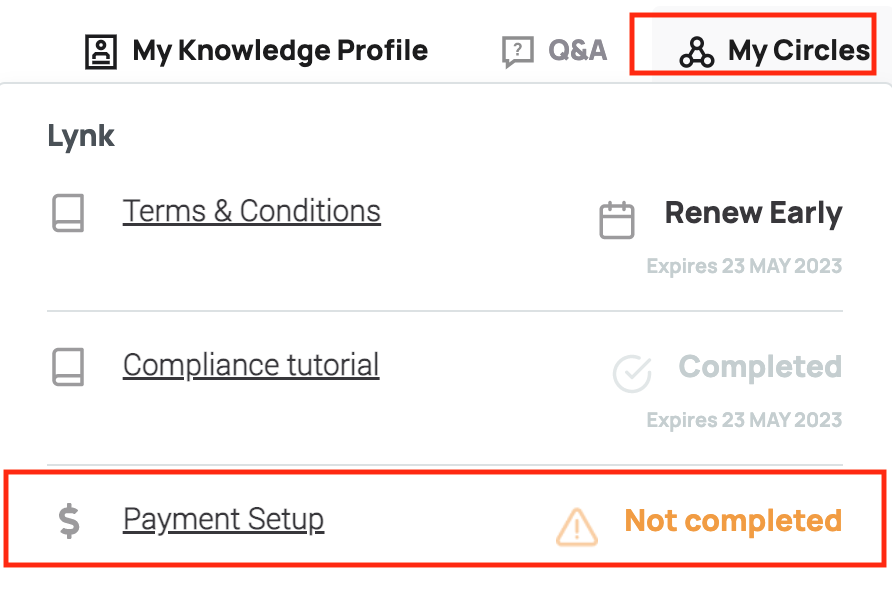
- Go to your Member portal, click "My Circles" on top bar.

- You will see a drop down menu which will indicate whether you’ve set up your payment details yet. If not, please click on “Payment Setup” to enter your payment details and then you will be able to receive your payment.
Comments
0 comments
Article is closed for comments.