Skip to main content
How do I navigate to my workspace?
- Click on “Workspaces“ on top navigation panel.

- Here, you will find all the workspaces you have access to, both workspaces that you have created, or have been added to by a workspace owner.
- You have the option to view all your workspaces in a card view or a list view.
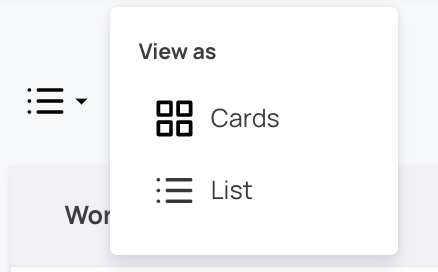
- You can view the date of creation, topic, company, industry, number of Users, number of Members on each workspace card or list
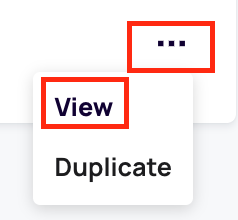
- Click on "..." and then on “View” in the dropdown menu to view the workspace's details.
Comments
0 comments
Article is closed for comments.